
Figma Updates Every Designer Should Know (2024–2026): Complete Timeline & Feature Breakdown
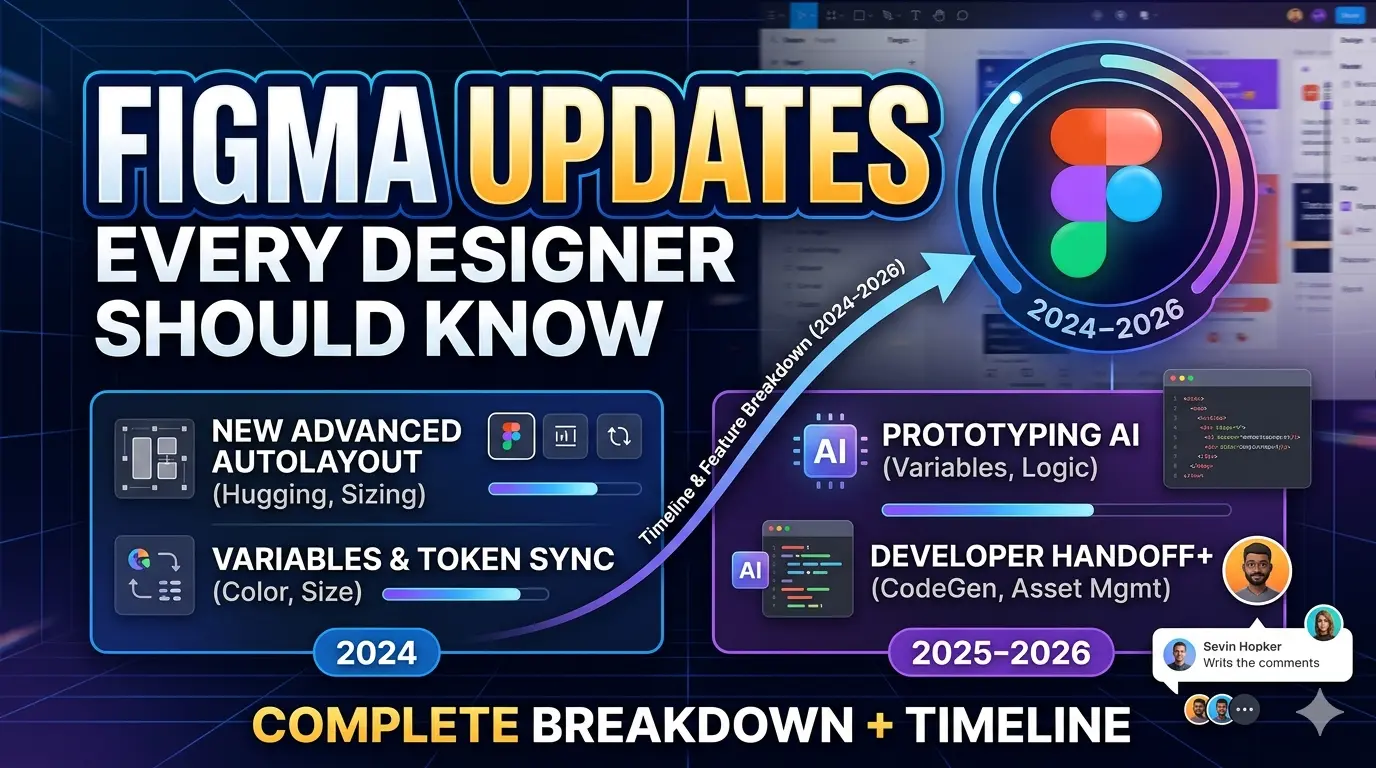
Figma Updates Every Designer Should Know (2024–2026): Complete Timeline & Feature Breakdown
Introduction
Figma has evolved far beyond its origins as a collaborative interface design tool. Today, it is becoming a complete product development ecosystem that connects designers, developers, product managers, marketers, and stakeholders within a single platform.
Over the past few years, Figma has introduced some of the most significant innovations in the design industry. Features such as Variables, Dev Mode, AI-powered design generation, Figma Slides, Figma Sites, and Figma Make are changing how digital products are designed, tested, developed, and launched.
These updates are not just incremental improvements—they represent a major shift in how modern product teams work. Tasks that once required multiple tools can now be completed directly inside Figma, reducing friction and improving collaboration across teams.
Whether you're a UX designer, UI designer, product designer, design system specialist, developer, or design leader, understanding these updates is essential for staying competitive in 2026 and beyond.
In this comprehensive guide, we'll explore the most important Figma updates from 2023 to 2026, explain why they matter, and discuss how they are shaping the future of digital product design.
Figma Timeline: Major Updates by Date
June 2023 — Variables Revolution
The introduction of Variables was one of the most transformative updates in Figma's history. Many design teams consider this release the foundation of modern design system management inside Figma.
What Changed?
Variables allow teams to create reusable values that can be applied across designs and prototypes.
Supported variable types include:
- Colors
- Typography values
- Spacing systems
- Border radius
- Numeric values
- Boolean values
- Design tokens
- Theme settings
Instead of manually updating dozens or hundreds of components, designers can now update a single variable and instantly apply changes across an entire product.
Why It Matters
Before Variables, maintaining multiple themes and design systems was often time-consuming and error-prone.
Designers frequently had to:
- Duplicate components
- Create separate color styles
- Maintain multiple design files
- Manually update themes
Variables solved these challenges by enabling:
- Light Mode
- Dark Mode
- Multiple Brand Themes
- Regional Variations
- Localization-Based UI Changes
Impact on Design Teams
Benefits include:
- Reduced design inconsistencies
- Faster design system maintenance
- Improved scalability
- Better collaboration with developers
- Easier token management
- More efficient theme switching
Variables also brought Figma closer to modern front-end development workflows, making design systems more aligned with code-based implementations.
Related Resources
- How to Use Figma Variables for Design Systems
- Figma Variables vs Design Tokens
- Creating Dark Mode with Figma Variables
- Advanced Variable Management in Figma
June 2023 — Advanced Prototyping Improvements
Figma significantly upgraded its prototyping capabilities, allowing designers to create more realistic and interactive experiences without relying on external tools.
New Features
Major additions included:
- Conditional Logic
- Variables in Prototypes
- Dynamic Interactions
- Interactive Components
- Stateful User Flows
Why Designers Loved It
Previously, advanced interactions often required specialized tools such as:
- ProtoPie
- Axure RP
- Framer
With these updates, designers could build sophisticated prototypes directly inside Figma.
Real-World Examples
Designers could now simulate:
- Shopping Cart Experiences
- Login and Authentication Flows
- Dynamic Pricing Interfaces
- Multi-Step Forms
- Product Configurators
- Personalized User Journeys
Business Impact
More realistic prototypes lead to:
- Better usability testing
- Faster stakeholder approvals
- Reduced development risks
- Improved product validation
Related Resources
- Complete Guide to Figma Prototyping
- Conditional Logic in Figma Explained
- Interactive Components Best Practices
- Figma vs ProtoPie for Advanced Prototypes
October 2023 — Dev Mode Launch
Dev Mode was one of Figma's most important releases for bridging the gap between design and development.
What is Dev Mode?
Dev Mode provides a dedicated workspace specifically designed for developers.
Instead of navigating design files through a designer's perspective, developers gain access to tools optimized for implementation.
Features Included
Developers can access:
- Design Specifications
- Measurements and Spacing
- CSS Properties
- iOS References
- Android References
- Component Information
- Asset Export Options
Benefits for Designers
Designers benefit through:
- Cleaner handoff processes
- Fewer implementation questions
- Better communication with engineering teams
Benefits for Developers
Developers gain:
- Faster implementation
- Reduced ambiguity
- Improved accuracy
- Easier access to design specifications
Industry Impact
Dev Mode positioned Figma as a direct competitor to:
- Zeplin
- Abstract
- InVision Inspect
Many organizations began replacing dedicated handoff tools entirely.
Related Resources
- Complete Guide to Figma Dev Mode
- Figma Dev Mode vs Zeplin
- Developer Handoff Best Practices
- How Developers Use Figma Dev Mode
Figma Updates in 2024
May 2024 — Figma AI Announcement
At Config 2024, Figma officially entered the AI era.
This announcement marked a major strategic shift toward AI-assisted design workflows.
Major AI Features
Generate Designs from Prompts
Users can describe interfaces using natural language.
Example:
"Create a travel booking homepage with search filters and featured destinations."
Figma automatically generates layouts based on the prompt.
AI Layer Organization
Messy files can be automatically cleaned and organized.
Benefits include:
- Better naming conventions
- Improved file structure
- Faster collaboration
AI Content Generation
Generate:
- Headlines
- Product Descriptions
- Button Labels
- Placeholder Content
- Marketing Copy
Search by Intent
Instead of searching layer names, users can search naturally.
Example:
"Find all checkout screens."
AI understands intent and surfaces relevant designs.
Why This Matters
Designers spend a significant amount of time on repetitive tasks.
AI helps automate:
- Layer cleanup
- Content creation
- Initial wireframing
- Asset organization
This allows designers to focus more on:
- User experience
- Product strategy
- Research
- Innovation
Related Resources
- How Figma AI Works
- Best Figma AI Features
- Figma AI vs Galileo AI
- AI Tools Every UX Designer Should Know
June 2024 — AI-Powered UI Generation
Figma expanded its AI capabilities by introducing AI-assisted interface generation workflows.
Capabilities
Users can generate:
- Landing Pages
- Dashboards
- Mobile Applications
- Forms
- SaaS Interfaces
- E-commerce Screens
Benefits
AI-generated interfaces help teams:
- Explore ideas faster
- Create MVP concepts quickly
- Improve stakeholder presentations
- Accelerate design exploration
Industry Significance
This update demonstrated Figma's ambition to become more than a design tool—it aims to become an intelligent design assistant.
Related Resources
- Best AI Prompts for Figma
- AI UI Design Workflow Guide
- Figma AI vs Uizard
- Future of AI in Product Design
2024 — Enhanced Auto Layout
Auto Layout received major improvements that made responsive design significantly easier.
New Capabilities
Enhancements included:
- Better Wrapping Behavior
- Improved Alignment Controls
- More Predictable Resizing
- Flexible Layout Structures
- Easier Responsive Design Creation
Why It Matters
Responsive design is essential for modern digital products.
With improved Auto Layout, designers can create:
- Mobile Layouts
- Tablet Interfaces
- Desktop Experiences
- Adaptive Components
without rebuilding screens for every device size.
Benefits
Benefits include:
- Faster workflows
- Better scalability
- Easier maintenance
- Improved consistency
Related Resources
- Auto Layout Master Guide
- Responsive Design in Figma
- Auto Layout Best Practices
- Building Scalable Components
Config 2025: The Biggest Figma Expansion Yet
Config 2025 represented one of the most ambitious moments in Figma's history. The company expanded beyond interface design and entered new categories including website publishing, AI-powered product creation, and presentations.
Figma Make
One of the most exciting announcements from Config 2025.
What is Figma Make?
Figma Make enables users to generate functional prototypes and experiences using AI prompts. Instead of manually designing every screen, users can describe what they want and allow AI to generate an interactive experience.
Example
Prompt: "Create a hotel booking experience with search filters, room selection, and checkout." Figma generates a working prototype based on the request.
Key Benefits
- Faster prototyping
- Rapid concept validation
- Reduced engineering dependency
- Better stakeholder demonstrations
- Faster experimentation
Why Designers Care
Designers can validate ideas before investing significant development resources. This dramatically reduces risk during product discovery.
Figma Sites
What is Figma Sites?
Figma Sites allows users to design and publish websites directly from Figma. Instead of exporting designs into another platform, teams can manage the entire workflow within a single ecosystem.
Workflow
Teams can:
- Design
- Prototype
- Publish
without leaving Figma.
Benefits
Ideal for:
- Landing Pages
- Marketing Websites
- Product Launches
- Event Websites
- Startup MVPs
Industry Impact
Figma Sites positions Figma against: Webflow, Framer, Wix Studio, Squarespace.
Figma Slides
What is Figma Slides?
Figma Slides is a presentation platform built directly into Figma. It allows teams to create visually rich presentations using the same design systems and assets already used in product design.
Key Features
- Interactive Presentations
- Team Collaboration
- Brand Consistency
- Reusable Components
- Design System Integration
Benefits
Teams no longer need separate presentation software. Designers can present:
- UX Case Studies
- Product Roadmaps
- Stakeholder Reviews
- Design Reviews
- Research Findings
without switching tools.
Grid System Update
Figma introduced a more advanced layout grid system inspired by modern web development practices.
Improvements
- Better Responsive Behavior
- CSS Grid Alignment
- Easier Component Scaling
- Improved Layout Flexibility
Why It Matters
Modern websites rely heavily on responsive grid systems. This update helps designers create layouts that more closely match real-world implementation.
AI-Powered Asset Generation
Figma expanded AI capabilities even further with automated asset creation.
New Capabilities
Generate:
- UI Components
- Placeholder Graphics
- Layout Suggestions
- Content Blocks
- Design Variations
Benefits
- Faster ideation
- Reduced repetitive work
- Improved productivity
- Better creative exploration
Figma Updates in 2026
AI-First Workflow Evolution
By 2026, AI is becoming deeply integrated into nearly every stage of the design process.
Emerging Trends
Designers increasingly use AI for:
- Wireframing
- User Flow Creation
- Component Suggestions
- Content Generation
- Accessibility Recommendations
- Design Audits
What Changed?
AI is no longer just a productivity tool. It is becoming a collaborative design partner that assists throughout the entire product lifecycle.
Impact
Teams can:
- Move faster
- Explore more ideas
- Reduce repetitive work
- Improve design quality
Design-to-Code Improvements
Figma continues investing heavily in developer workflows.
Key Improvements
Developers now benefit from:
- Cleaner Specifications
- Better Component Mapping
- Improved Code References
- More Accurate Implementation Guidance
Result
Organizations experience:
- Faster Development Cycles
- Reduced Design Debt
- Better Product Consistency
- Improved Collaboration
Feature-Wise Breakdown
1. Design Systems
Major updates include:
- Variables
- Design Tokens
- Theme Management
- Component Enhancements
Impact
Design systems have become more scalable, maintainable, and developer-friendly.
2. Collaboration
Major updates include:
- Multiplayer Editing
- Branching
- Shared Libraries
- Dev Mode
Impact
Cross-functional collaboration is smoother than ever before.
3. AI Features
Major updates include:
- AI-Generated Interfaces
- AI Content Writing
- Layer Organization
- Asset Generation
Impact
Teams spend less time on repetitive tasks and more time solving user problems.
4. Prototyping
Major updates include:
- Conditional Logic
- Variables in Prototypes
- Dynamic Interactions
- Interactive Components
Impact
Prototypes now feel much closer to real products.
5. Development Workflows
Major updates include:
- Dev Mode
- Design Inspection
- Code References
- Improved Handoff
Impact
Design-to-development friction has been significantly reduced.
6. Website Creation
Major updates include:
- Figma Sites
- AI-Assisted Publishing
Impact
Figma has entered the website-building market and expanded beyond traditional design workflows.
7. Presentations
Major updates include:
- Figma Slides
Impact
Teams can create, collaborate on, and present work directly within Figma.
What These Updates Mean for UX Designers
The role of a designer is evolving rapidly. Modern designers are no longer expected to simply create attractive screens. They are expected to contribute throughout the entire product lifecycle.
Today's designers need expertise in:
- Design Systems
- AI Workflows
- Prototyping
- Developer Collaboration
- Product Strategy
- Accessibility
- User Research
Figma's recent innovations reflect this shift. The platform is becoming a complete product creation ecosystem rather than just a UI design tool.
Designers who embrace these changes will be better positioned to lead projects, collaborate effectively, and deliver higher-quality products.
Final Thoughts
From Variables and Dev Mode to AI-powered design generation, Figma Make, Figma Sites, and Figma Slides, Figma has undergone one of the most significant transformations in its history.
What was once primarily a UI design tool is now evolving into a comprehensive platform for designing, prototyping, collaborating, developing, presenting, and publishing digital products.
The most successful designers in 2026 will not simply know how to create beautiful interfaces. They will understand design systems, use AI effectively, collaborate closely with developers, and use modern workflows to deliver products faster and more efficiently.
If you haven't explored these features yet, now is the perfect time. Many of them are quickly becoming essential skills for modern UX and product designers, and mastering them today can give you a significant advantage in the future of digital product design.
For expert guidance on implementing these features and more, consider partnering with Chulbul Design to elevate your product design capabilities.
Frequently Asked Questions
What is Figma Make?
Figma Make is a feature that enables users to generate functional prototypes and experiences using AI prompts, allowing for faster prototyping and concept validation.
How does Figma Sites work?
Figma Sites allows users to design and publish websites directly from Figma, streamlining the workflow and eliminating the need for external platforms.
What are the benefits of using Figma Slides?
Figma Slides provides a presentation platform built directly into Figma, enabling teams to create visually rich presentations using the same design systems and assets, and collaborate more effectively.
How can I get started with Figma's AI-powered features?
To get started with Figma's AI-powered features, explore the platform's documentation and tutorials, and experiment with the various AI-powered tools and features to discover how they can enhance your design workflow.